How to Schedule Meetings at Bio-PAT Forum 2025
1) Registration
Register via the online form. You will receive a confirmation email containing a link to complete your registration.
Didn’t receive it? Check your spam folder or contact our technical support (Mr. Scriba: [email protected] +49 6421 608254).
2) Log In & Set Your Availability
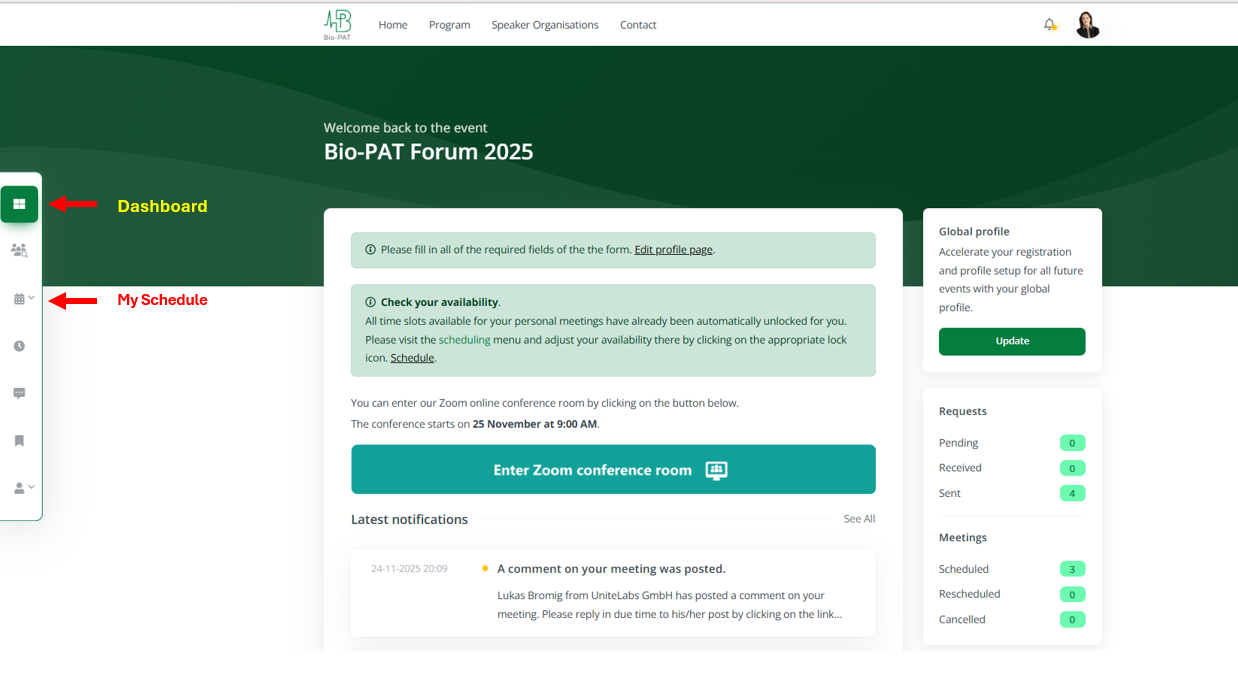
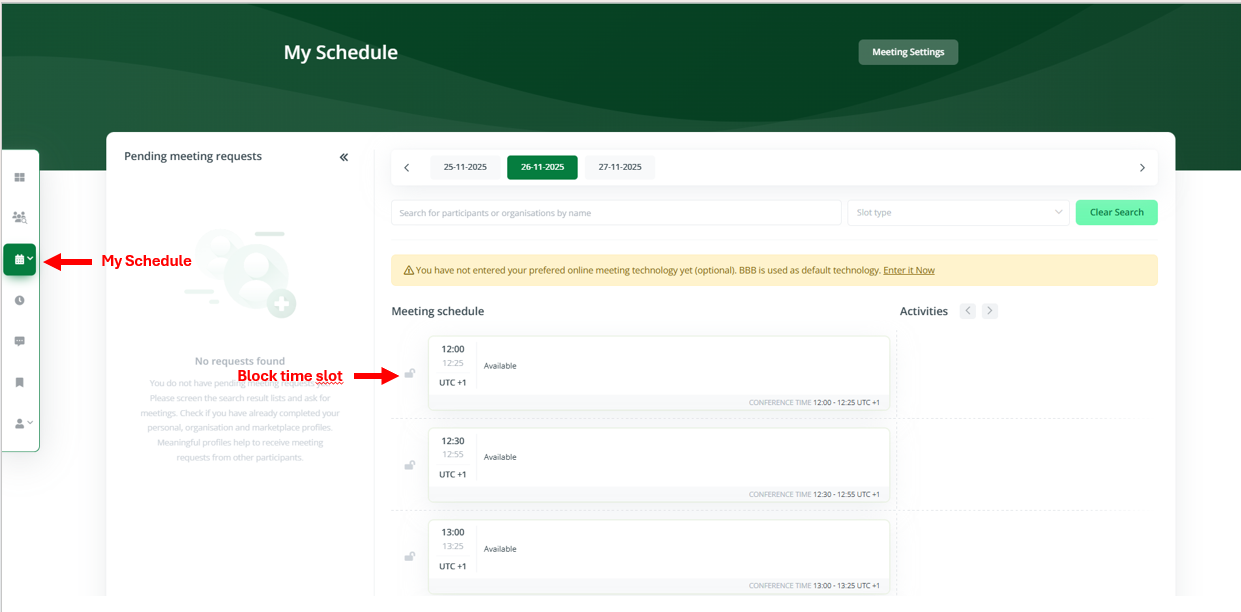
After logging in, you will see your personal dashboard. To participate in matchmaking, open “My Schedule” and indicate when you are available for meetings. Click the lock icon to block any time slots during which you are not available.
3) Complete Your Profile
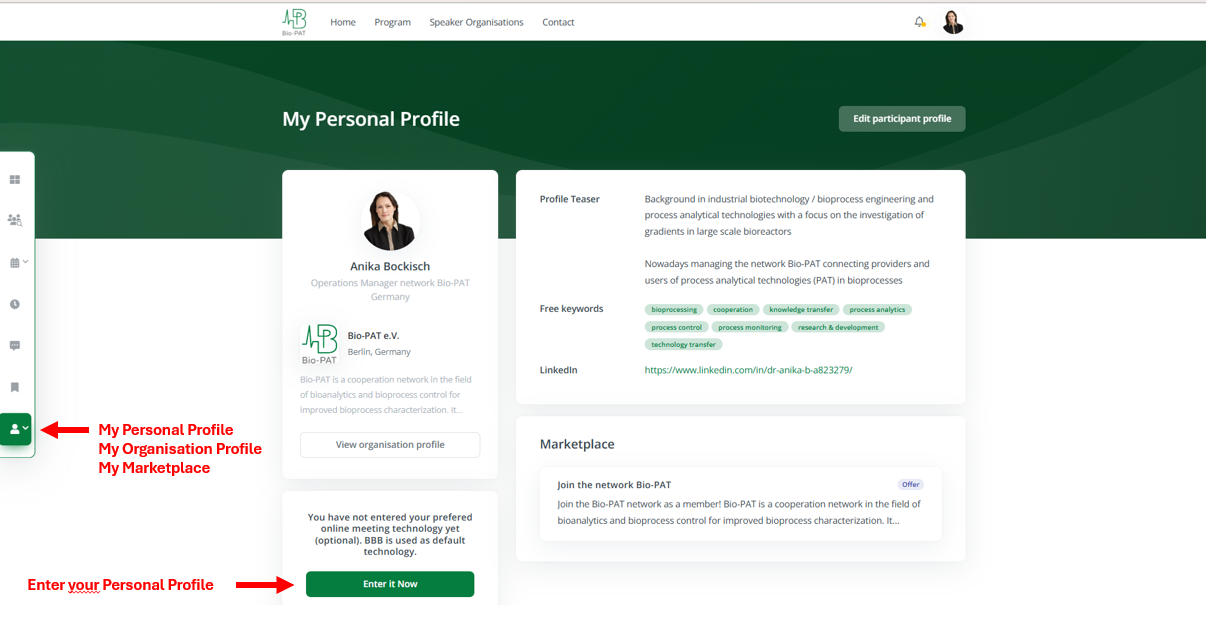
Fill in your personal and organizational profile as thoroughly as possible. A detailed profile increases your chances of receiving meeting requests. If needed, you can also publish offers and requests in the marketplace.
4) Find Partners & Schedule Meetings
Use the search function and filters to identify relevant participants. You can send meeting requests directly from the search results or from a participant’s profile.
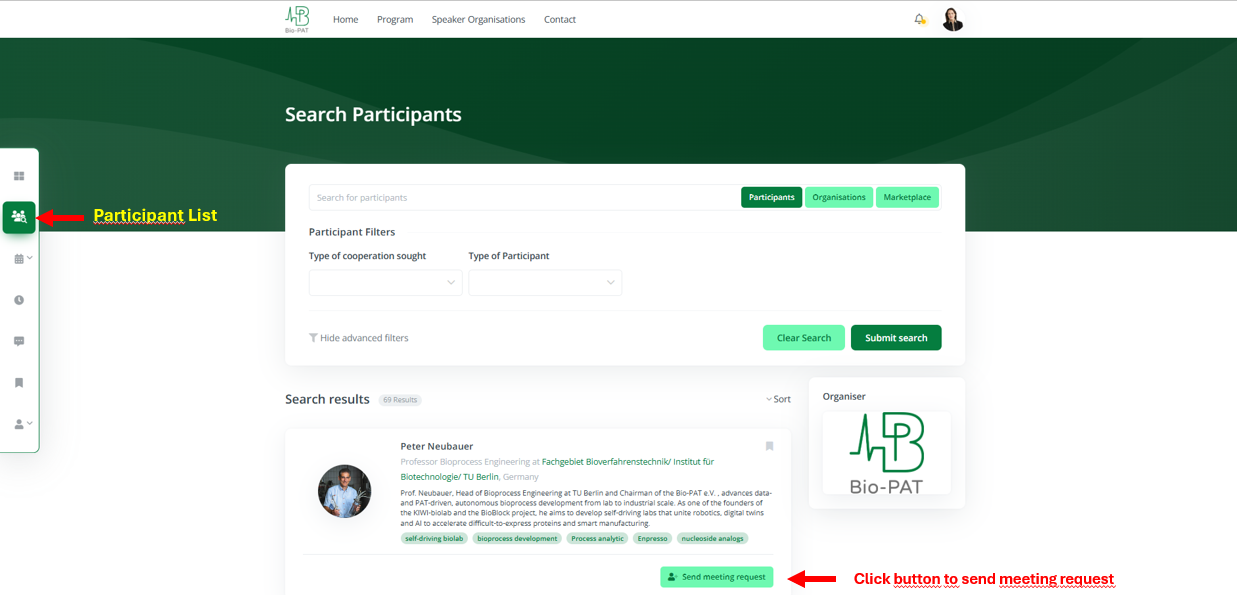
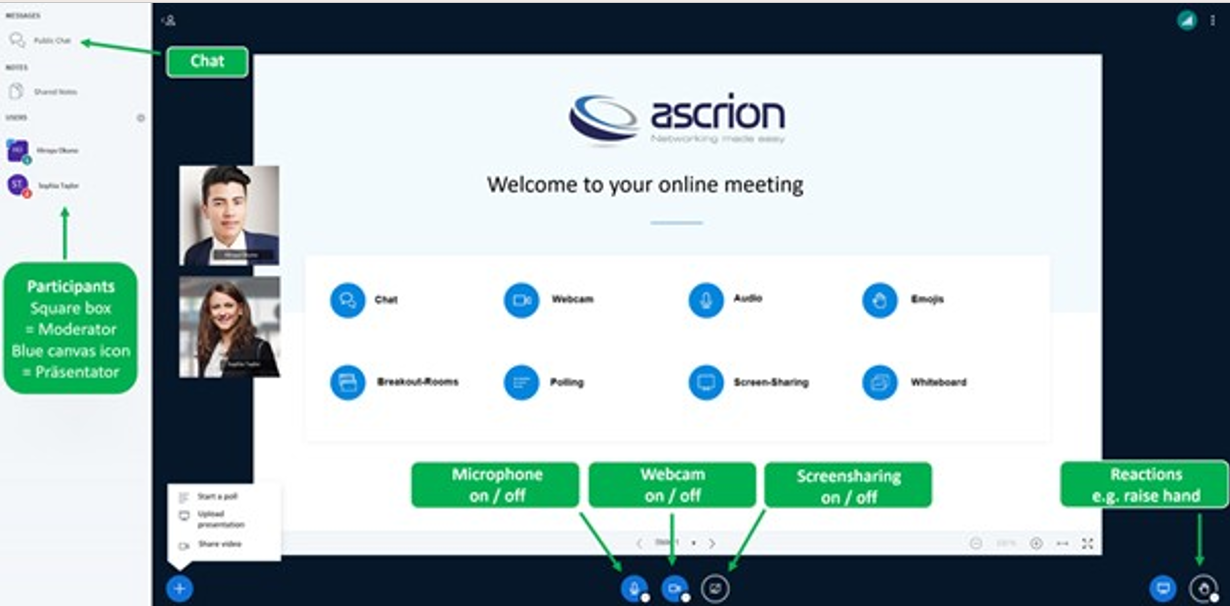
Once a request is accepted, the meeting is automatically added to both participants’ agendas. You will be notified by email and on your dashboard. Meetings take place in BigBlueButton online conference rooms.
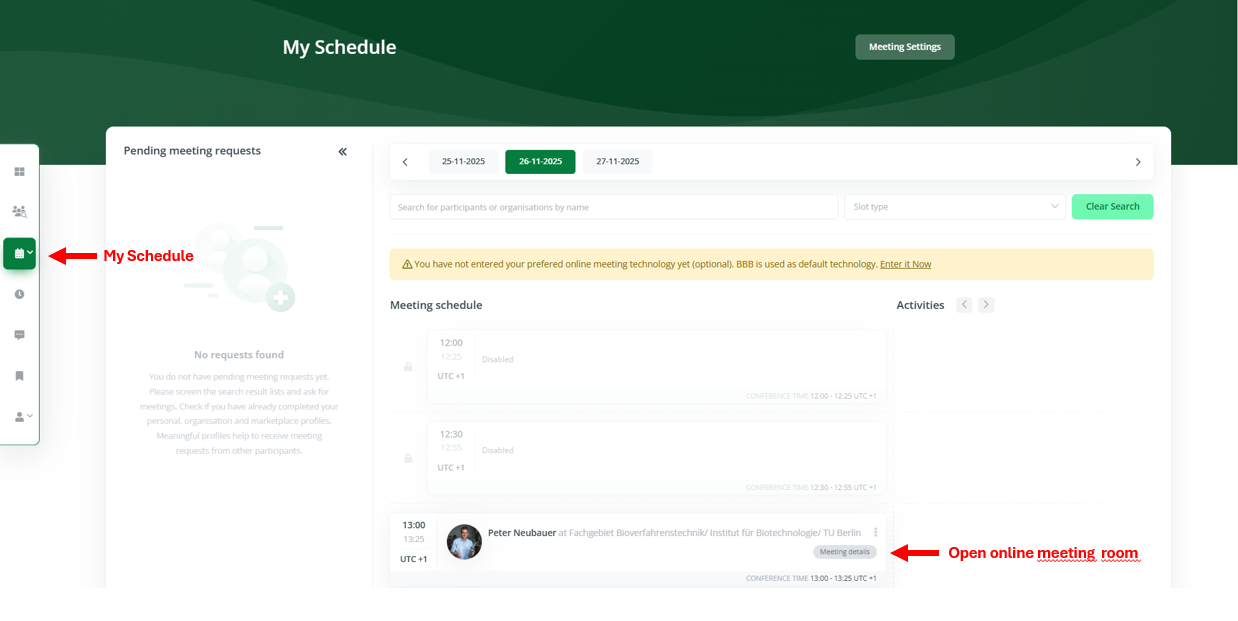
5) Manage Requests & Appointments
Under “Requests”, you can review, accept, or decline incoming meeting requests. All confirmed meetings appear in your agenda, which you can download as a PDF to bring to the event.
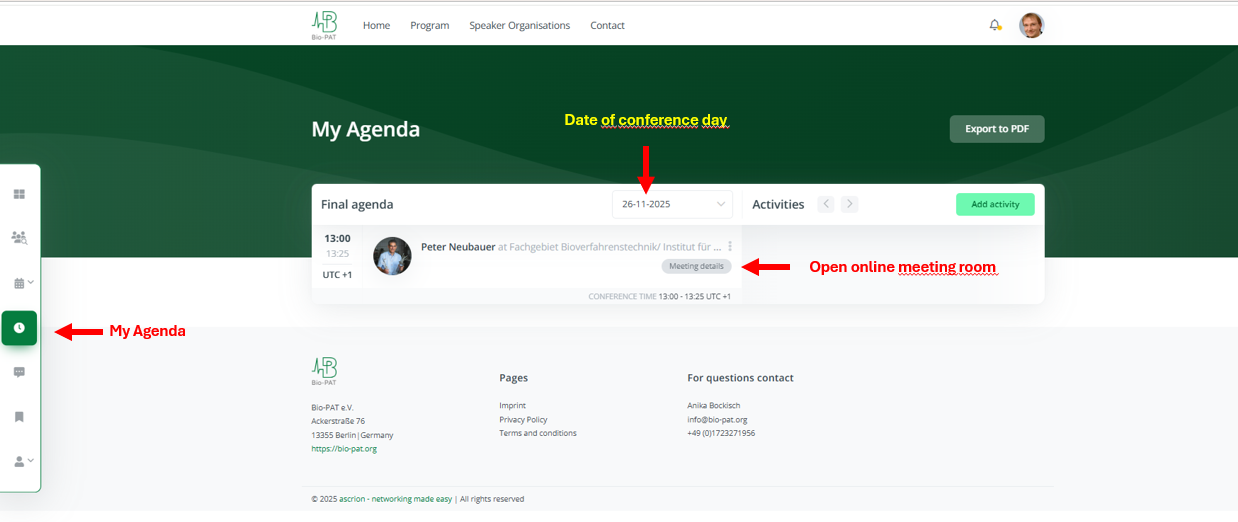
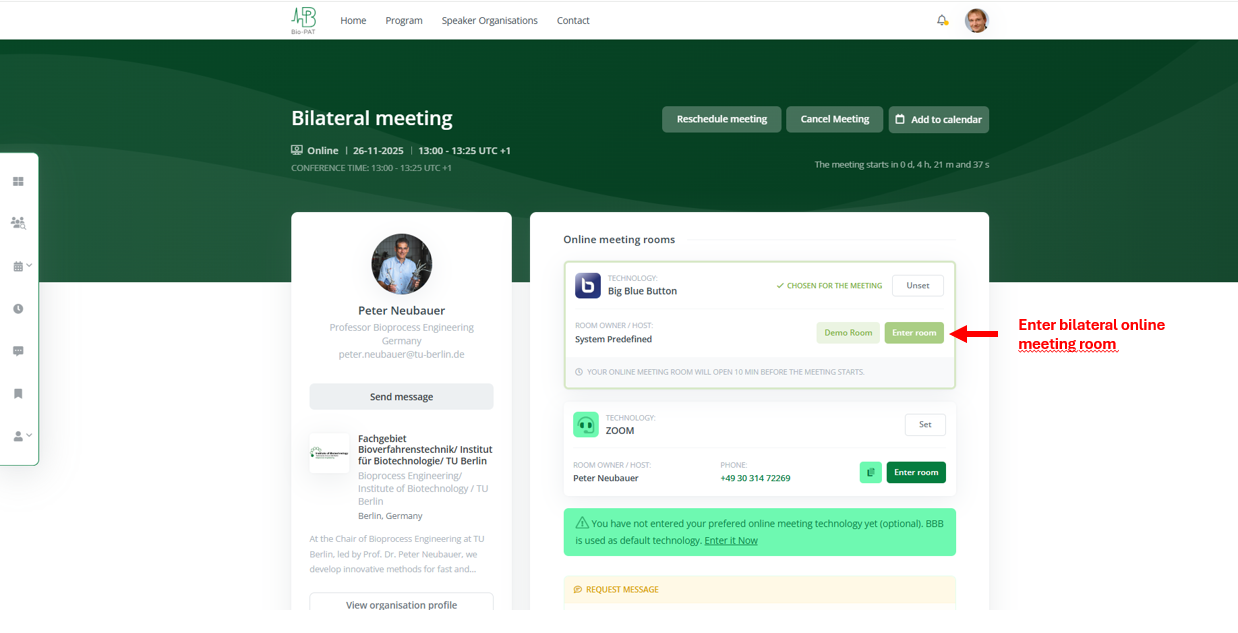
Online meeting room
For questions about the event platform, please contact:
Dr. Andreas Scriba
Phone: 06421-608254
Email: [email protected]